NoPod · Not only Proof of Delivery
Every delivery, proven. Without a single sheet of paper.
NoPod connects to your ERP / WMS, sends shipments to your drivers’ phones and keeps your customers informed automatically. Every delivery is backed by a signature, a photo and a location on the map.
Integrates with any ERP / WMS · No GPS device in the vehicle
NoPod = Not only Proof of Delivery
Not only Proof of Delivery.
The name says it. Proof of delivery is where it starts. With the same system, no second app and no GPS device, you also get:
Why NoPod
No more paperwork. No more “where’s the truck?”
Customers stay informed on their own
A morning notice, an estimated arrival time and a delivery email with PDF. Fewer calls to your office.
Proof that holds up
A signature, a photo and a map location for every delivery. Fewer disputes, faster invoicing.
The right stop order
Automatic route optimisation for every truck. Fewer kilometres, less time on the road.
Works with the ERP / WMS you already have
Documents, customers, parcels, pallets, weights and cash on delivery flow in automatically from any ERP or WMS.
Live view, history and statistics
Your office sees every truck on the map in real time, along with the routes and kilometres of any past day.
Many companies, one hub
With NoPodHub, multiple clients or group companies are served from a shared distribution centre.
How it works
A delivery day, from your ERP / WMS to the archive.
The office prepares, the driver delivers, the customer is kept informed. Everything else happens automatically.
-
01
Import from your ERP / WMS
Documents, orders, customer, branch or agent, parcels, pallets, weight and cash on delivery. Every address becomes a point on the map.
-
02
Planning, in one click or fully automatic
Assign to trucks, sequence stops and send to phones. The whole process can run automatically, with no operator involvement. If something is wrong, such as an incorrect email or a wrong geolocation, the system alerts the staff responsible so they can fix it. A printable delivery sheet is ready for each truck.
-
03
Morning notice to the customer
An email with a “Shipment notice” PDF: orders, comments and delivery times.
-
04
The driver sets off
The stop list is on the driver’s phone in the right order. When the route starts, the customer receives an email with an estimated arrival time and a link to watch the vehicle approach.
-
05
Delivery with proof
Signature, geotagged photo, comments and status. Within 1–2 minutes the customer has the delivery email with PDF.
-
06
Close and archive
Failed deliveries are rescheduled for the next working day automatically. Completed ones move to the history with photos and signatures.
The driver app
The driver knows what to do. The office sees it done.
On the driver’s phone: the day’s list in the right order, one button to start and one to complete, with signature and photo.
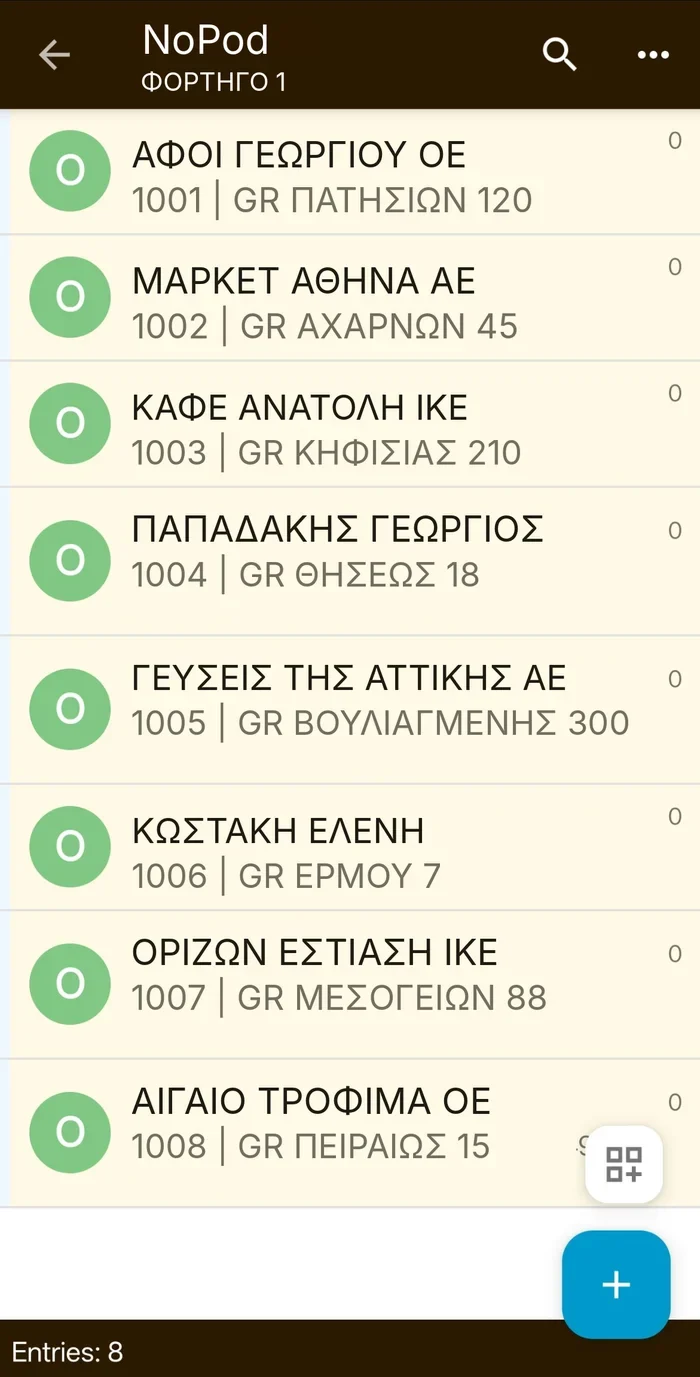
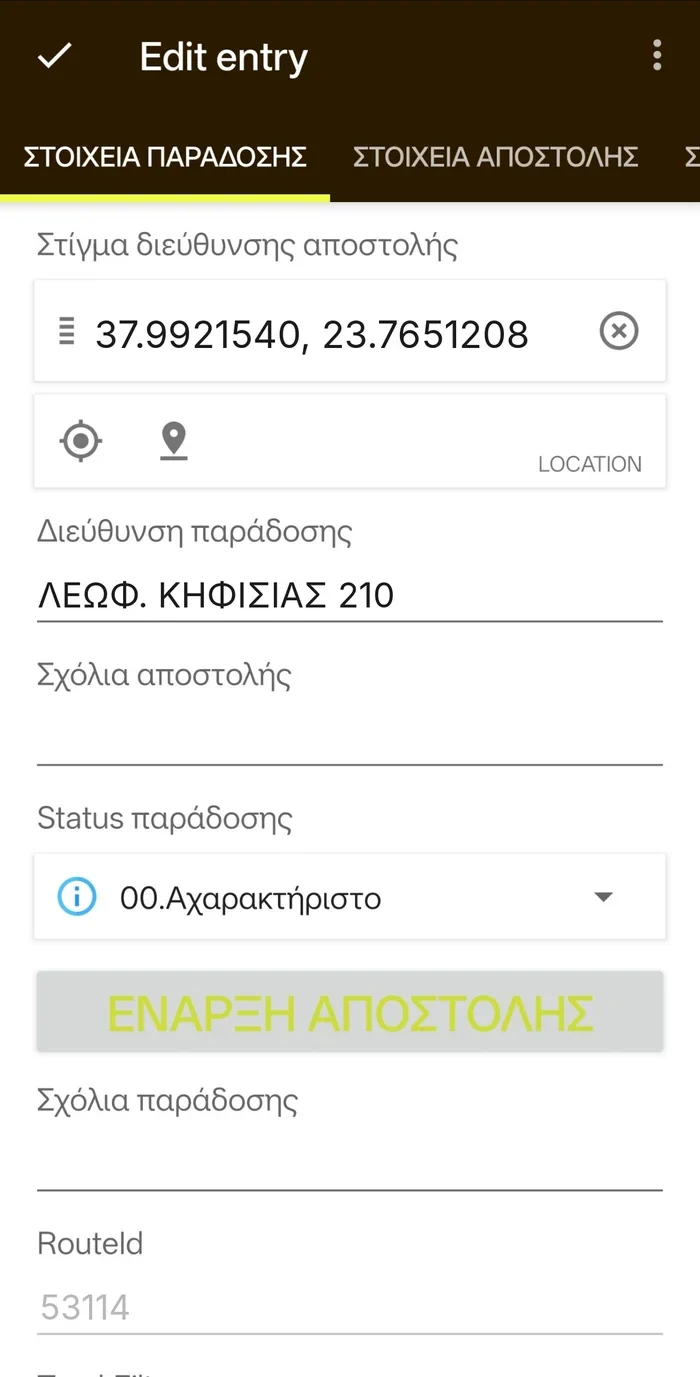
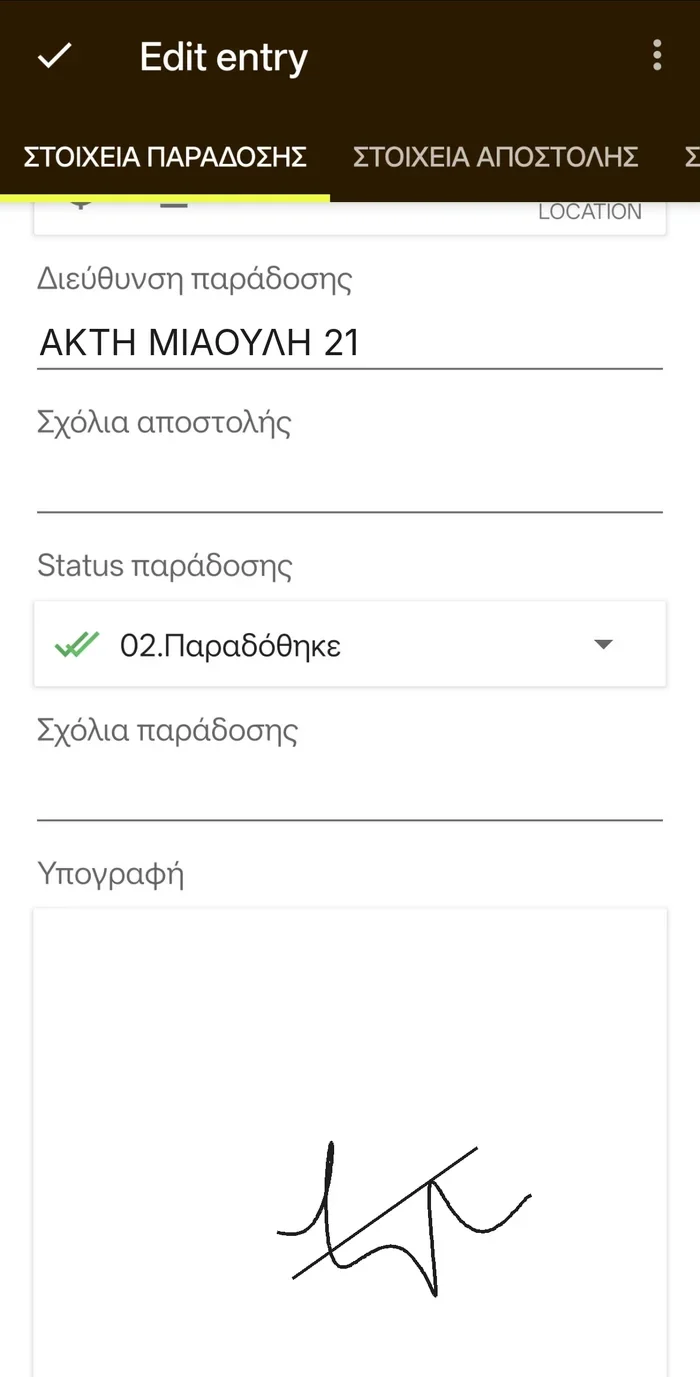
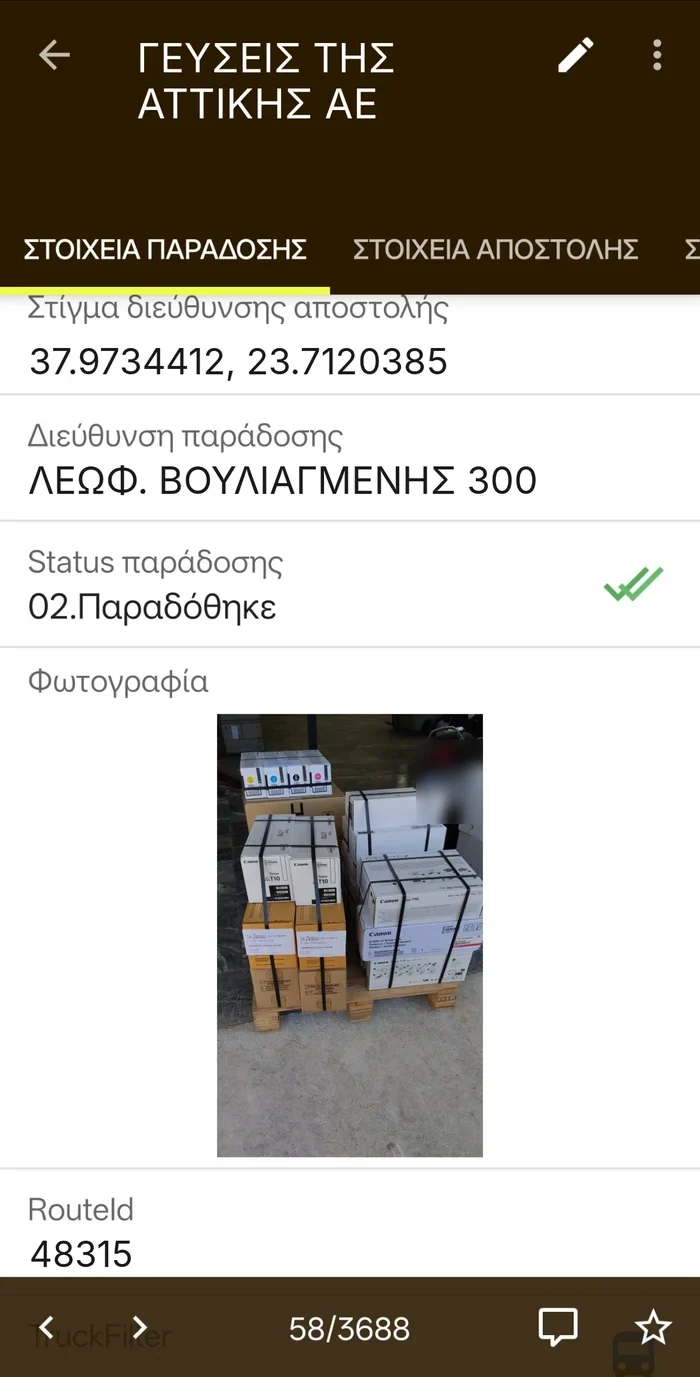
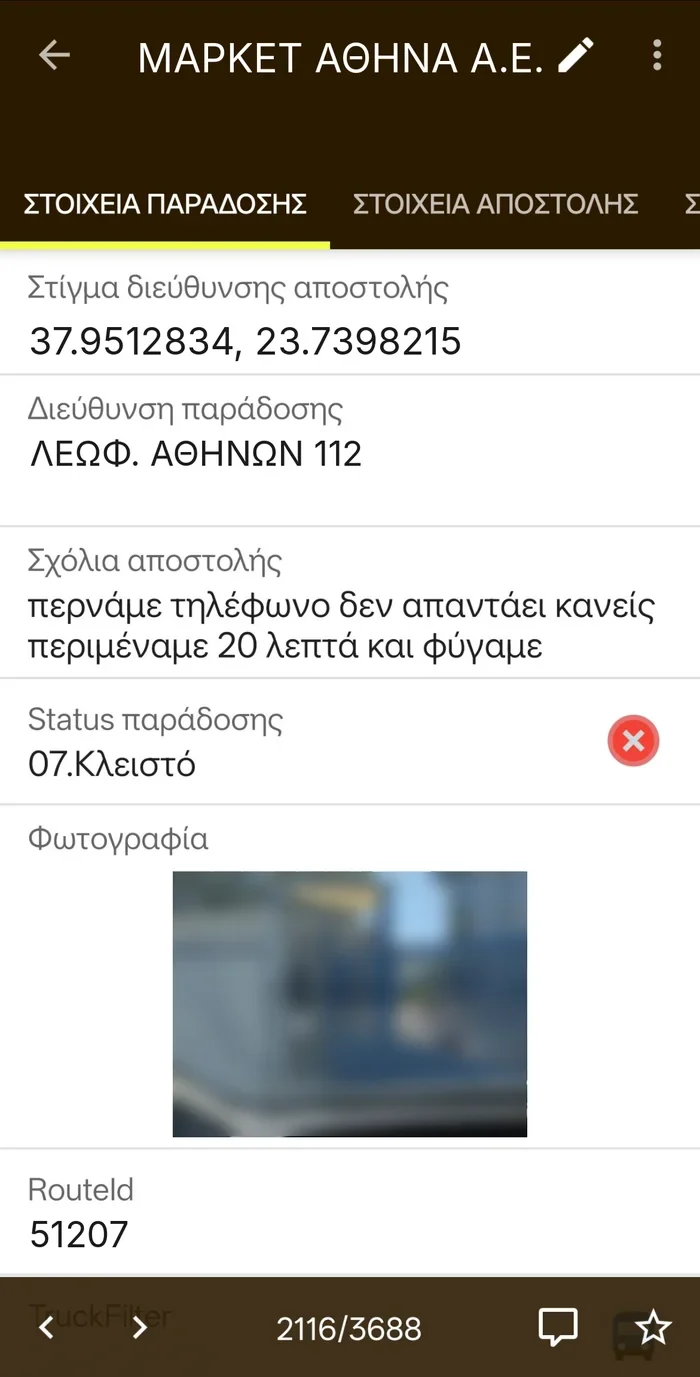
Screens show sample data.
Live Fleet
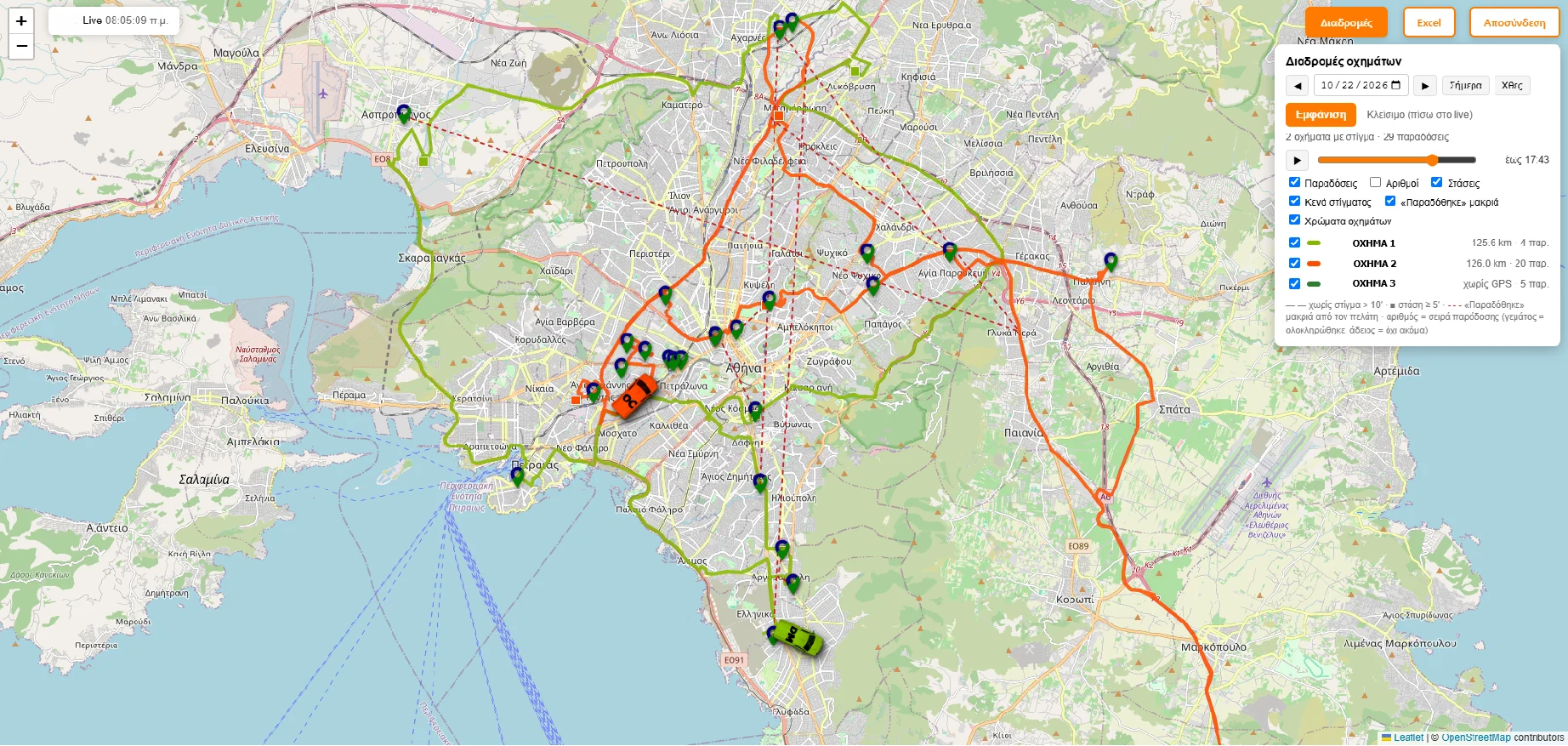
Your fleet on the map: live, history and day replay.
Each vehicle’s actual route is recorded by the driver’s phone. No GPS device, no installation, no extra cost.
- Two colours on every stopThe top shows the vehicle the delivery is assigned to. The bottom shows its status: white pending, yellow started, green delivered, red cancelled.
- Actual kilometresPer vehicle, stop to stop and in total, as the vehicle actually drove them.
- History and replayPick any past day and replay the route, hour by hour.
- What needs checking, at a glanceHighlights “Delivered” taps made far from the customer, stops longer than 5 minutes and signal gaps.
Already a customer? Log in to Live Fleet
An Excel report for any period you choose.
Generated straight from Live Fleet, for a single day or a whole month.
Every delivery, with times and kilometres
Start and completion times, status, actual km from the previous delivery and how far the vehicle was from the customer when “Delivered” was tapped.
Each vehicle’s day
Number of deliveries, first and last delivery, departure from and return to the warehouse, working km and total km.
Whatever needs correcting
“Delivered” tapped far from the customer, deliveries made by a vehicle other than the one assigned, wrong or missing customer coordinates.
The portal
Your office sees everything, as it happens.
One web application for all the work before, during and after delivery.
- Progress – liveRoutes shown as road lanes per truck, with start, ETA, deviation and emails sent.
- ShipmentsFiltered search and a record for each shipment with signature, photo, PDF and full history.
- PlanningAssignment, optimisation and changes that reach the driver even after the route has started.
- Delivery sheetStops in order, phone numbers, documents and totals for parcels, weight and cash on delivery.
- StatisticsShipments per day, on-time rate, per truck, average time per stop.
- Users and rolesAdministrator, office or view only. HTTPS sign-in, dark and light themes.
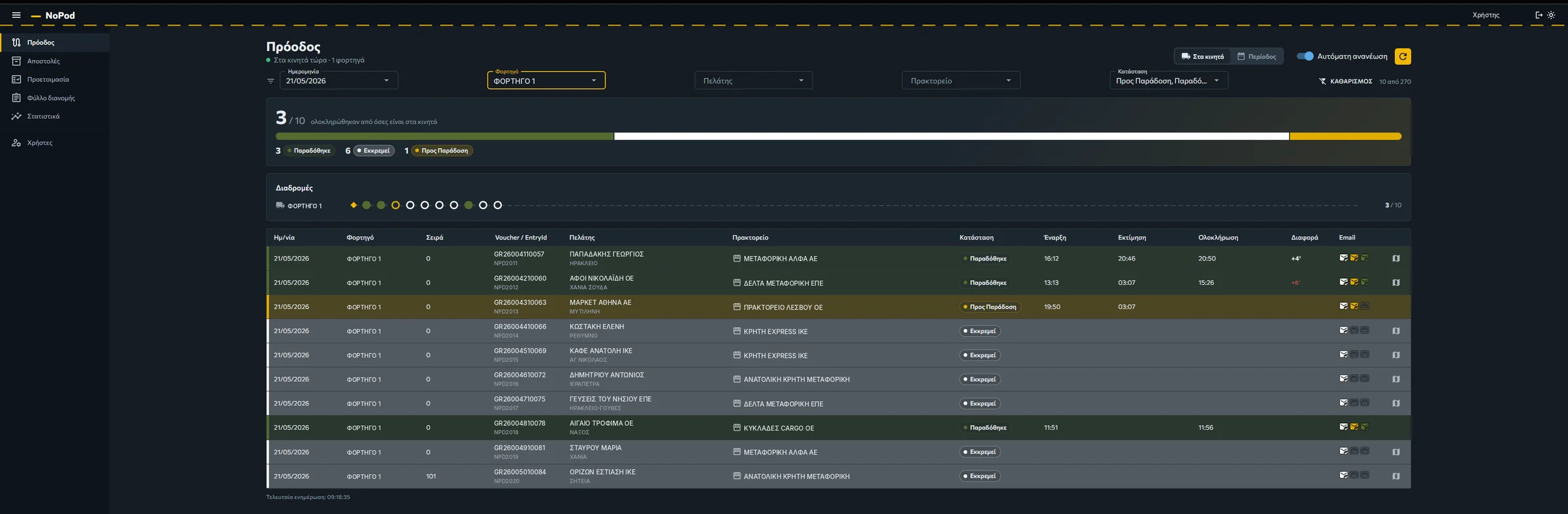
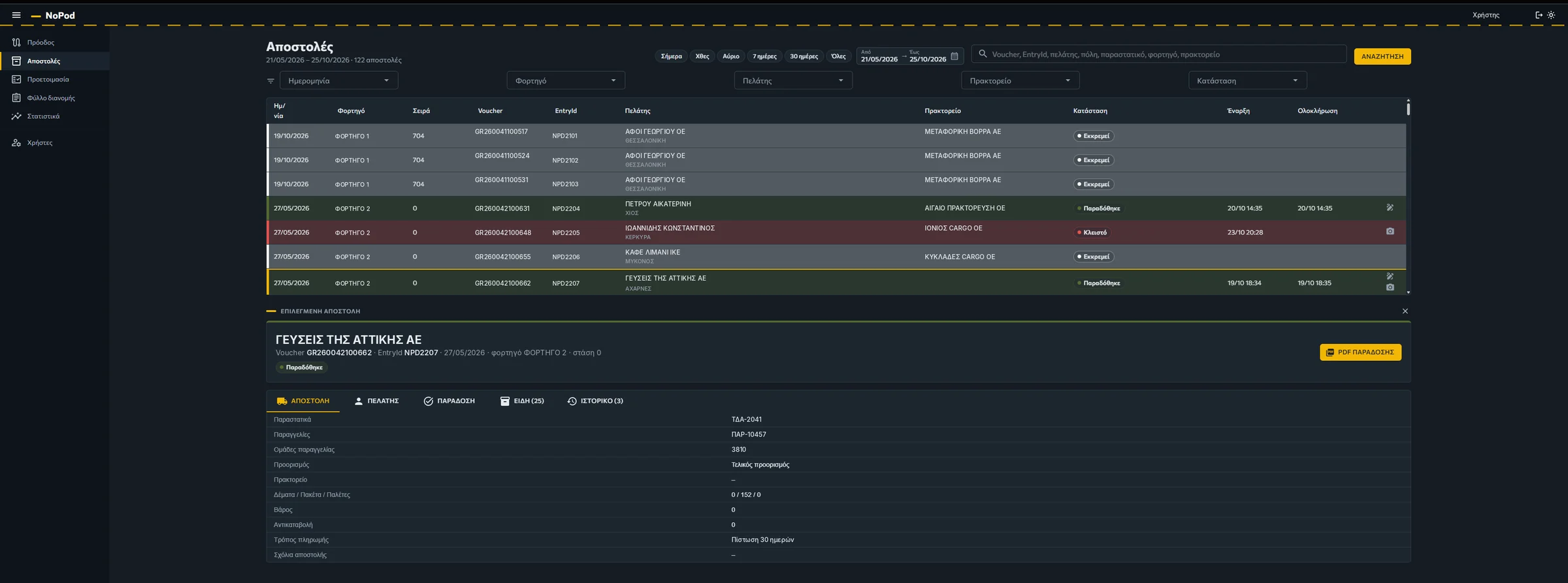
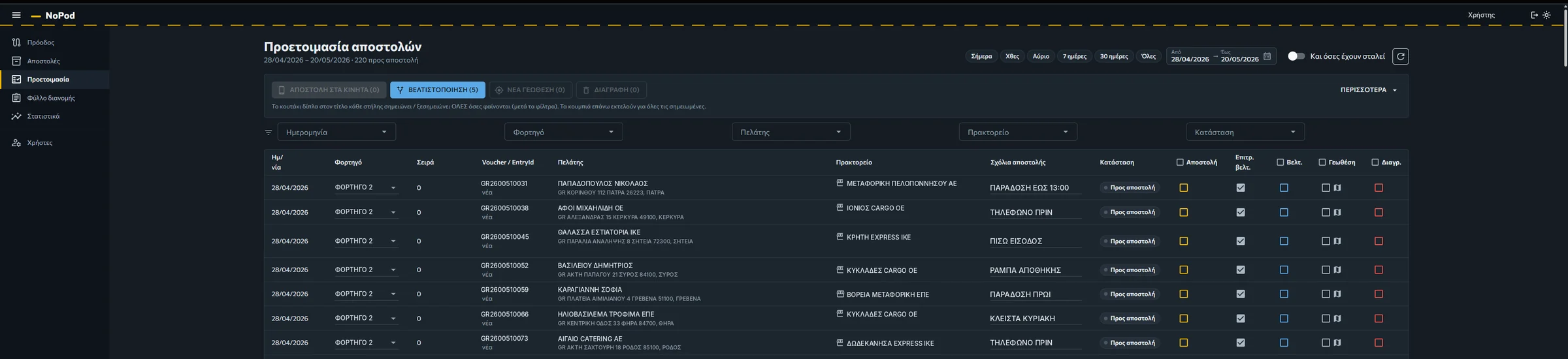
Screens show sample data.
Customer updates
Three emails that answer before anyone has to ask.
Shipment notice
The customer knows what is arriving today: orders, comments and delivery times, in an attached PDF.
Arrival time and live tracking
As soon as the driver sets off, the customer gets an estimated arrival time and a link to watch the vehicle approach.
Proof of delivery PDF
Signature, photo, map, items and quantities. The proof arrives before the truck leaves the stop.
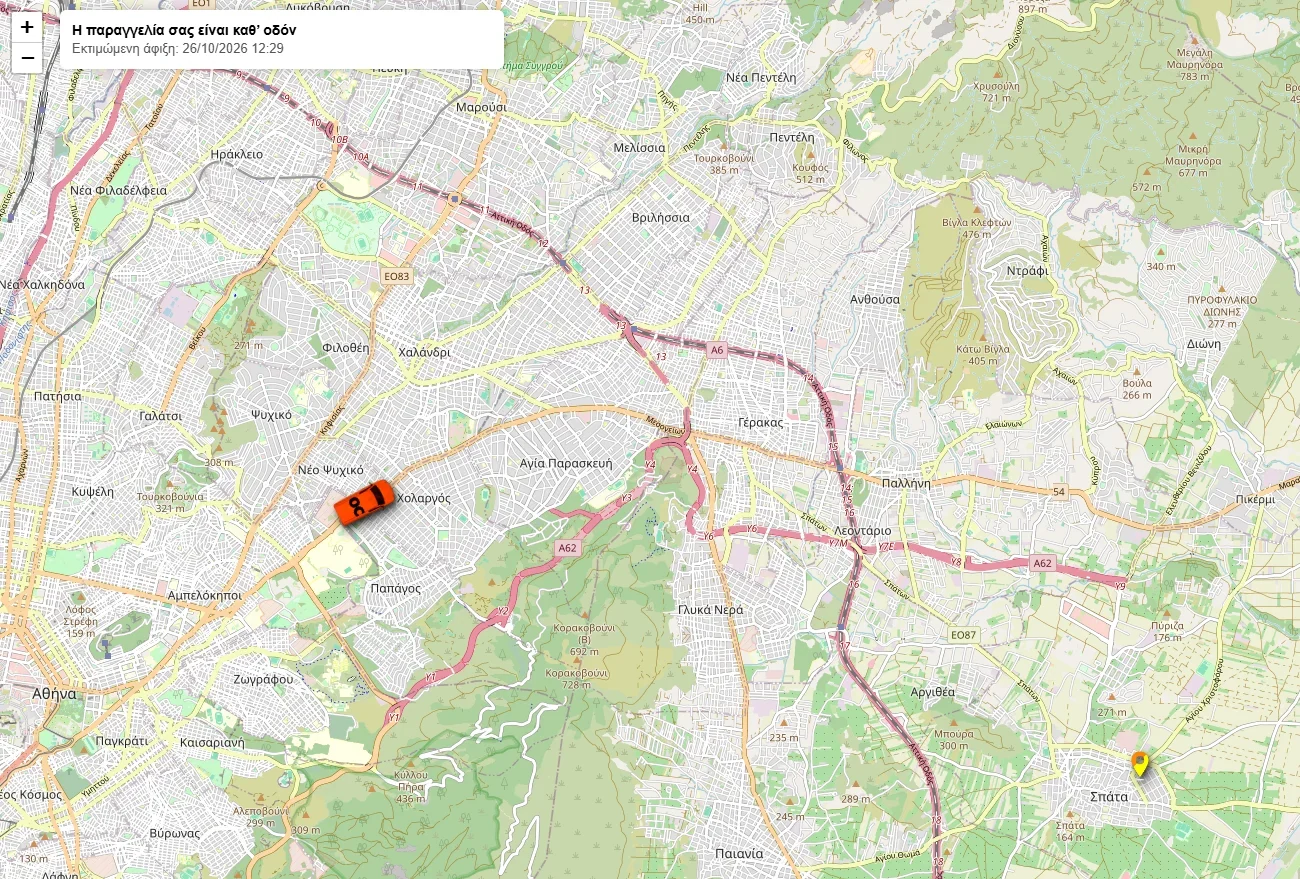
Your customer watches the truck arrive.
Just like tracking a taxi or a food delivery. One click in the route-start email opens a tracking screen, on phone or desktop, with the vehicle moving on the map all the way to their door and the estimated arrival time.
- No app for the customer, it opens on any phone
- No GPS device in the truck
- Fewer failed deliveries and fewer calls to your office
For companies that deliver with their own fleet or through agents
Whatever your industry, NoPod brings order to distribution.